
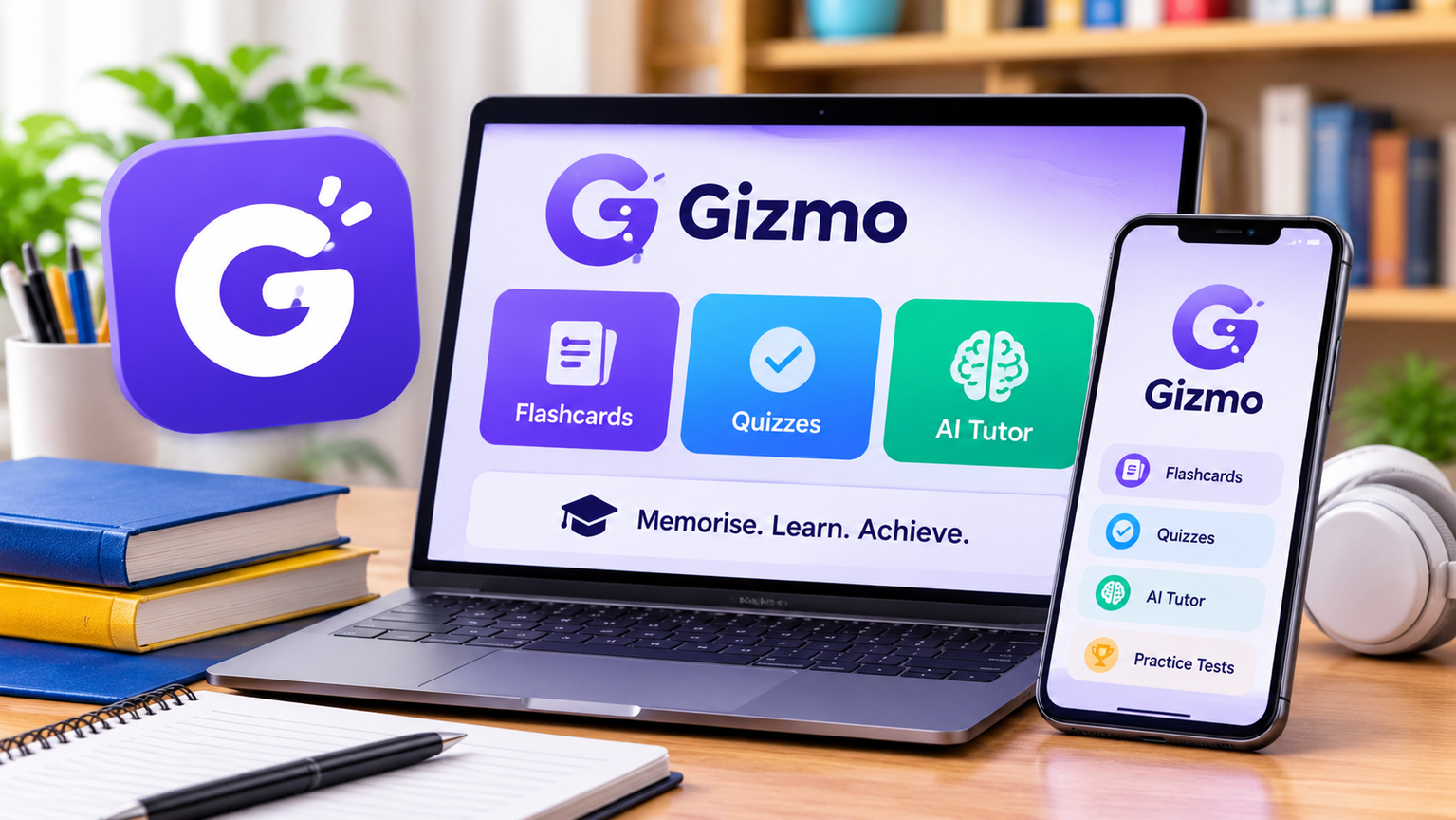
The Gizmo app is an AI-powered study platform that helps students turn their notes, PDFs, and other learning materials into flashcards, quizzes, and practice tests. Instead of creating every study card manually, you can use its AI tools to prepare revision materials and practise what you’ve learned.
Whether you’re searching for a gizmo app free download, want to know if the app costs money, or need to access it on your computer, this guide covers its main features, pricing, installation options, and benefits for students.
What Is the Gizmo App Used For?
Gizmo is designed to make studying more interactive and organised. It uses artificial intelligence to convert learning materials into questions and flashcards that students can review whenever they have time. You can use it for school subjects, university courses, exam preparation, and language learning.
The Gizmo AI app combines flashcards, quizzes, an AI Tutor, and spaced repetition. It also offers interactive features that let students practise with friends. Its main goal is to help learners remember information through regular practice instead of simply reading the same notes repeatedly.
Is the Gizmo App Free?
Yes, Gizmo offers a free plan. Users can create unlimited flashcards and study decks without purchasing a subscription. However, some advanced features have usage limits.
The free version includes restrictions on features such as Magic Import, AI Tutor, hints, and Hearts during memorisation activities. Students who want fewer restrictions can consider the Gizmo Unlimited subscription.
Gizmo Free vs. Unlimited
| Feature | Free Plan | Unlimited Plan |
|---|---|---|
| Create flashcards | Unlimited | Unlimited |
| Create study decks | Unlimited | Unlimited |
| Memorise mode | Limited Hearts | Unlimited Hearts |
| Magic Import | Usage limits | No waiting limits |
| AI Tutor | Limited | Unlimited |
| Hints | Limited | Unlimited |
| Practice tests | Available | Available |
| Gizmo Live | Available | Available |
The free plan is a reasonable starting point if you want to explore the platform. However, students who regularly import large amounts of study material may find the paid plan more convenient. Subscription prices and availability can vary by region.
How Does Gizmo Work for Studying?
The gizmo app study experience focuses on active learning. Instead of only reading your notes, you answer questions, test your understanding, and review information you find difficult to remember.
Import Your Study Material
Gizmo’s Magic Import feature can turn supported learning materials into study resources. Depending on the available import options, you can use PDFs, notes, presentations, and YouTube videos to create flashcards and quizzes.
Create and Review Flashcards
After importing your material, review the generated cards and organise them into decks. You can also create flashcards manually if you want more control over the questions and answers.
Use Memorise Mode
Memorise mode helps you practise through active recall and spaced repetition. These learning methods encourage you to retrieve information from memory and review it again over time. Regular practice can make revision more structured.
Learn With the AI Tutor
The AI Tutor can help explain topics, answer study-related questions, and generate learning materials. It can be useful when you need additional explanations, although you should verify important information against reliable educational sources.
Practise With Friends
Gizmo Live offers interactive quiz activities that allow students to practise together. This can make revision more engaging, particularly when friends or classmates are preparing for the same subject.
Gizmo App Free Download for Android and iPhone
If you want to install Gizmo on your smartphone, look for the official application in your device’s app store. Check the app name and developer details before installing it, because other applications may use similar names.
Android Download
Android users can search for Gizmo in the Google Play Store. The free version lets you explore its study features, while some additional tools may require a subscription.
iPhone and iPad Download
Apple users can check the App Store for the Gizmo study application. After installation, create an account or sign in to access the available learning features.
Is Gizmo APK Safe to Download?
Some users search for a gizmo apk to install the application manually. However, downloading APK files from unknown websites can be risky. Modified applications may contain harmful software or request unnecessary permissions.
For a safer experience, use the official Google Play Store whenever the application is available for your device. Avoid unofficial downloads that promise paid features for free.
Can You Use the Gizmo App on PC?
Yes, you can access Gizmo on a computer through its web platform. A separate Windows installation is not necessary for browser-based access.
Using the gizmo app pc option can be convenient if you prefer a larger screen for reading notes, organising study materials, and reviewing flashcards. Open the platform in a compatible browser and sign in with your existing account.
The desktop experience is especially useful for students who work with longer documents or prefer typing their notes using a physical keyboard.
How to Complete Gizmo Login
The gizmo login process is simple. You can access your account through the mobile application or the web platform.
- Open the Gizmo application or its website.
- Select the Sign In option.
- Choose an available login method.
- Follow the on-screen instructions to access your account.
New users can select Sign Up to create an account. Try to use the same login method on your phone and computer so you can access your study materials from both devices.
If you have trouble signing in, check your internet connection, update the application, and make sure you’re using the correct account details.
Is the Gizmo App Discontinued?
No, the Gizmo AI study platform is not discontinued. The service remains available through its web platform and mobile app listings.
Some confusion may come from other applications that also use the name Gizmo. These products may have different developers and purposes. Before installing an application, check its features and developer information to make sure you’re choosing the AI-powered study platform.
Is Gizmo Good for Studying?
Gizmo can be a useful option for students who want to organise their revision and turn lengthy learning materials into smaller practice activities. Its flashcards, quizzes, AI Tutor, and spaced repetition tools offer different ways to review information.
However, it should support your learning rather than replace textbooks, teachers, or independent research. AI-generated questions and explanations can sometimes contain mistakes, so check important facts before relying on them for exams.
Gizmo may suit students who want to create flashcards from their notes, practise through quizzes, organise different subjects, or study with friends. It may be less suitable for people who need unlimited AI features without paying or prefer traditional study methods.
Frequently Asked Questions
What is the Gizmo app for?
Gizmo is an AI-powered study platform that converts learning materials into flashcards, quizzes, and practice activities. It also provides tools such as an AI Tutor and spaced repetition.
Is the Gizmo AI app free?
Yes, Gizmo has a free plan that includes unlimited flashcards and decks. Some advanced features have usage limits, while the paid plan offers additional access.
Can I download Gizmo for free?
Yes, you can install the application without paying through a supported official app store. Optional features may require a subscription.
Can I use Gizmo on my PC?
Yes, Gizmo offers browser-based access, allowing you to use its study tools on a computer without installing a separate Windows application.
Is Gizmo available on the App Store?
The Gizmo study application has an iOS listing. Check the App Store in your region for current availability and compatible devices.
Is Gizmo APK safe?
An APK from an unknown website may be modified or unsafe. Installing the official application through Google Play is the safer option for Android users.
Is the Gizmo study app discontinued?
No, the AI-powered Gizmo study platform remains available. Make sure you are checking the correct application because other products share the same name.
Does Gizmo help students remember information?
Gizmo uses active recall and spaced repetition to help students practise and review information. Its usefulness depends on how consistently students use the tools and how well they understand the material.
Final Thoughts
Gizmo offers a convenient way to turn study materials into flashcards, quizzes, and interactive revision activities. Its free plan gives students an opportunity to explore the platform, while the paid subscription provides access to additional features. Whether you use a smartphone or computer, Gizmo can help organise your study routine and make revision more interactive.