
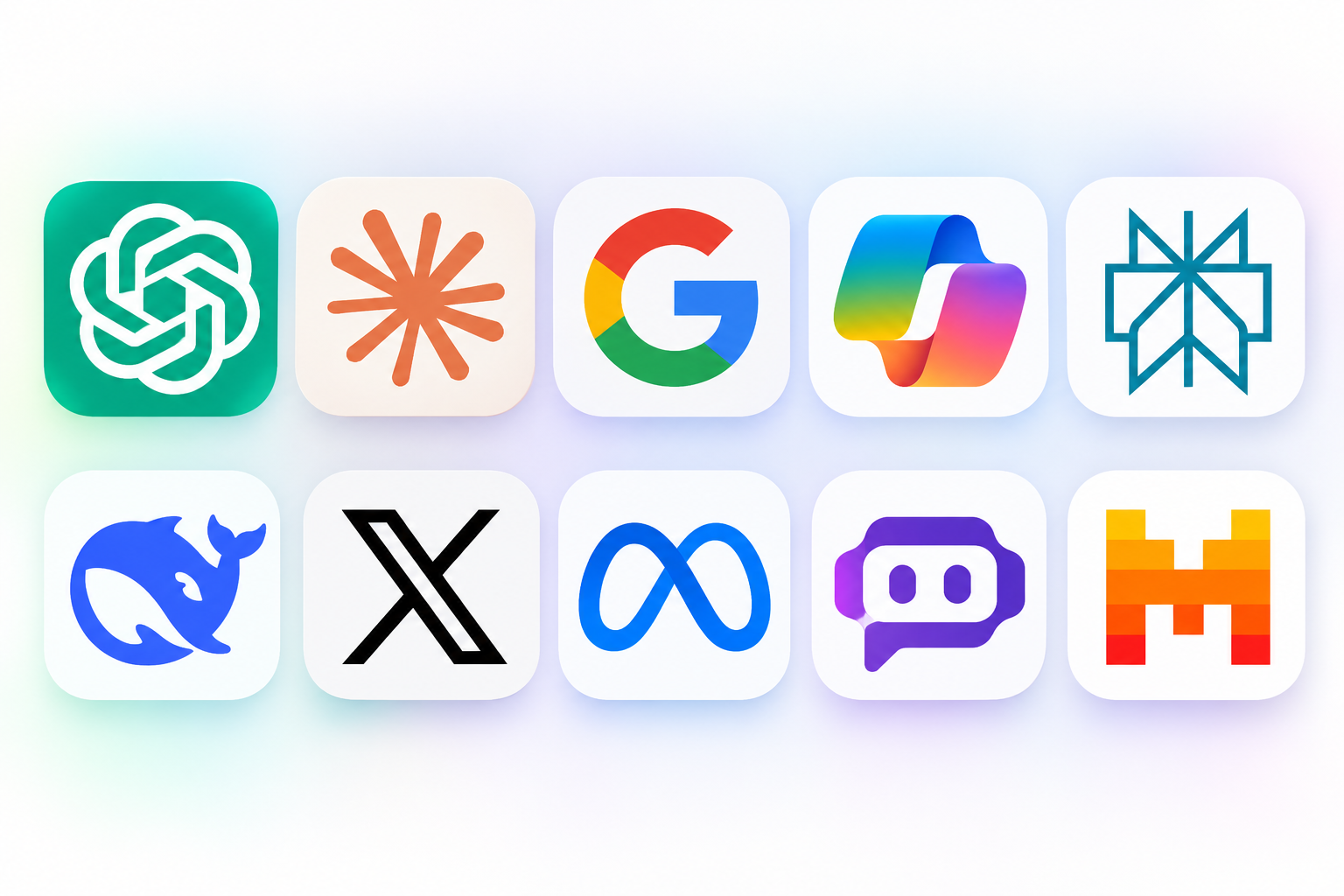
AI chatbots have become useful tools for writing, research, studying, coding, and everyday tasks. You can ask questions, summarize long documents, generate ideas, analyze information, and get help with work without switching between several applications. However, not every chatbot offers the same features, accuracy, or level of access.
The best ai chatbot depends on what you want to accomplish. Some assistants are better suited to general conversations, while others focus on research, writing, programming, or productivity. Their free plans also have different usage limits, and certain features may require a paid subscription.
This guide compares 10 popular AI chatbots in 2026. It explains their main features, advantages, limitations, and potential uses so you can make a more informed decision. We also cover free access, privacy considerations, and important factors to review before choosing a service.
Which Is the Best AI Chatbot in 2026?
ChatGPT is a strong general purpose choice because it supports a broad range of tasks, including writing, brainstorming, research, file analysis, and image generation. However, it is not automatically the right choice for everyone.
Claude is worth considering for writing and coding, Gemini offers useful connections to Google’s ecosystem, and Perplexity focuses on research with linked sources. Microsoft Copilot may suit people who regularly use Microsoft products, while other options provide different approaches to AI assistance.
Here is a quick overview of the services covered in this guide.
| AI chatbot | Best suited for | Main strength |
|---|---|---|
| ChatGPT | Everyday assistance | Broad range of capabilities |
| Claude | Writing and coding | Long form text and reasoning |
| Google Gemini | Google users | Google ecosystem integration |
| Microsoft Copilot | Productivity | Microsoft integration |
| Perplexity | Online research | Source linked answers |
| DeepSeek | Reasoning tasks | Reasoning focused models |
| Grok | X users | Access to X related information |
| Meta AI | Meta app users | Integration with Meta services |
| Poe | Multiple AI models | Different models in one platform |
| Mistral Le Chat | General assistance | Alternative AI assistant |
Features, availability, and usage limits can change. Check each provider’s official website before subscribing or relying on a specific feature.
10 Best AI Chatbots Compared
1. ChatGPT: Best Overall AI Assistant

ChatGPT from OpenAI is a versatile assistant for everyday questions, writing, learning, brainstorming, and professional tasks. It can help users explain complicated topics, draft emails, summarize information, generate ideas, and work with supported files.
Depending on the available model and account plan, ChatGPT also provides tools such as web search, image generation, voice conversations, and data analysis. The available features and usage limits can differ between free and paid accounts.
Key features
- Answers questions and explains complex topics.
- Helps with writing, editing, and summarization.
- Supports file analysis and data related tasks.
- Offers image generation and other tools where available.
- Provides voice and web search capabilities.
Advantages
- Suitable for many everyday tasks.
- Offers several tools within one interface.
- Can adjust explanations for different experience levels.
- Supports both personal and professional workflows.
Limitations
- Free access has usage limits.
- Some advanced capabilities require a subscription.
- Generated answers can contain incorrect information.
- Important facts still need independent verification.
Who should use it?
ChatGPT is a useful starting point for students, professionals, content creators, and people who want one assistant for different activities.
Official website: https://chatgpt.com/
2. Claude: Best for Writing and Coding

Claude is an AI assistant developed by Anthropic. It is particularly relevant for people who regularly work with long documents, detailed instructions, writing projects, and programming tasks.
Users can ask Claude to rewrite content, explain code, review documents, organize ideas, and analyze supported files. Its Projects and other features can also help organize ongoing work, depending on the account and plan.
Claude is worth comparing with other assistants when writing quality and detailed responses matter.
Key features
- Writing, editing, and summarization.
- Code generation and explanation.
- Document analysis.
- Project based workflows.
- Web search and additional tools where supported.
Advantages
- Useful for detailed writing tasks.
- Can help explain complicated technical material.
- Supports document focused workflows.
- Offers a free access option in supported regions.
Limitations
- Free usage is limited.
- Some advanced features require a paid plan.
- It can still misunderstand instructions or produce inaccurate answers.
- Availability and features vary by region and subscription.
Who should use it?
Writers, developers, researchers, and professionals who work with lengthy documents may find Claude useful.
Official website: https://claude.ai/
3. Google Gemini: Best for Google Users

Google Gemini is Google’s conversational AI assistant. It can answer questions, explain topics, help with writing, summarize information, and support creative tasks.
One of its main advantages is its connection to Google’s ecosystem. Depending on the product, region, and subscription, users may access integrations with services such as Gmail, Google Drive, and other Google applications.
Gemini also offers different models and capabilities for tasks that require faster responses or more advanced reasoning. Access varies by account and plan.
Key features
- Text based conversations.
- Writing and brainstorming assistance.
- Research and information summaries.
- Image understanding and generation where available.
- Connections to selected Google services.
Advantages
- Useful for people already using Google products.
- Supports a variety of everyday tasks.
- Offers free access with certain limitations.
- Can work with supported Google services.
Limitations
- Some integrations require additional permissions or subscriptions.
- Features differ between regions.
- AI generated information can be inaccurate.
- Advanced access may require a paid Google AI plan.
Who should use it?
People who use Gmail, Google Drive, and other Google services may find Gemini a convenient option.
Official website: https://gemini.google.com/
4. Microsoft Copilot: Best for Microsoft Productivity

Microsoft Copilot is designed to help users with questions, writing, research, and productivity. Its capabilities depend on which Copilot product they use.
The consumer Copilot experience provides conversational assistance, while Microsoft 365 Copilot adds capabilities within supported Microsoft applications and business workflows.
This distinction matters because the free consumer experience and paid workplace products do not offer identical features.
Key features
- Conversational assistance.
- Writing and summarization.
- Image creation where available.
- Web connected answers in supported experiences.
- Integration with selected Microsoft applications.
Advantages
- Useful for people who work with Microsoft products.
- Can assist with everyday productivity.
- Offers a free consumer experience.
- Business users can access additional workplace features through eligible plans.
Limitations
- Not every Copilot feature is available in the free version.
- Microsoft 365 integrations may require eligible subscriptions.
- Features can vary by account and organization.
- Generated answers need verification.
Who should use it?
Microsoft users, office workers, and businesses that already depend on Microsoft applications may benefit from Copilot.
Official website: https://copilot.microsoft.com/
5. Perplexity: Best for Online Research

Perplexity takes a research focused approach to AI assistance. Instead of presenting itself only as a conversational chatbot, it helps users explore topics and find information from online sources.
Its answers commonly include source links, which can make it easier to investigate claims and continue reading. This approach is useful when researching technology, products, industry developments, and general questions.
However, citations do not guarantee that every statement is correct. Users should open the original sources and check whether they actually support the answer.
Key features
- Search focused AI answers.
- Source links and references.
- Follow up research questions.
- Different search and research modes.
- Additional model access through eligible plans.
Advantages
- Useful for discovering online information.
- Makes source checking easier.
- Supports follow up questions.
- Offers a free plan.
Limitations
- Source links may not support every detail in an answer.
- Advanced research features may require a subscription.
- Search results can miss relevant information.
- It should not replace reading important original documents.
Who should use it?
Students, journalists, researchers, and professionals who regularly investigate topics online may find Perplexity helpful.
Official website: https://www.perplexity.ai/
6. DeepSeek: Best for Reasoning Focused Tasks

DeepSeek is an AI platform known for its reasoning focused models and conversational assistant. It is an option worth considering when comparing different approaches to problem solving, mathematics, programming, and technical questions.
Users can enter questions, request explanations, and explore complex topics through its chat interface. The available models and features may change as the service develops.
Before using any AI service, review its privacy policy and understand how it handles information. This is especially important when working with private documents or business data.
Key features
- Conversational question answering.
- Reasoning focused model options.
- Coding assistance.
- Technical explanations.
- Web and app access, depending on availability.
Advantages
- Offers an alternative to mainstream assistants.
- Useful for exploring technical questions.
- Provides access to reasoning focused models.
- Has offered free access to its chat service.
Limitations
- Generated answers may contain errors.
- Model performance varies by task.
- Privacy considerations deserve attention.
- Features and access conditions can change.
Who should use it?
Users interested in comparing reasoning models, exploring technical questions, and testing different AI approaches may want to try DeepSeek.
Official website: https://www.deepseek.com/
7. Grok: Best for X Related Information
Grok is an AI assistant developed by xAI. It is associated with the X platform and offers conversational assistance, information discovery, and additional creative capabilities.
Its connection to X can be useful when users want to explore public discussions and trending topics. However, information from social media should not automatically be treated as verified news.
Grok’s available features, usage limits, and subscription options depend on the account and service access.
Key features
- Conversational question answering.
- X related information discovery.
- Web search capabilities where available.
- Voice and creative tools in supported versions.
- Additional features through eligible plans.
Advantages
- Relevant for people who actively use X.
- Can help explore public discussions.
- Offers different conversational and creative capabilities.
- Provides another option for comparing AI assistants.
Limitations
- Social media content can contain misinformation.
- Access to advanced features may require payment.
- Availability and limits can change.
- Important claims should be checked against reliable sources.
Who should use it?
People who regularly follow public conversations on X and want an AI assistant connected to that environment may find Grok useful.
Official website: https://grok.com/
8. Meta AI: Best for Meta App Users
Meta AI is an assistant developed by Meta. It is available through supported Meta products and services, with features and access depending on location and application.
Its integration into Meta’s ecosystem makes it relevant for people who regularly use supported social and messaging applications. Users can ask questions, explore ideas, and access available creative features without necessarily opening a separate chatbot website.
However, its capabilities and availability are not identical across every Meta application or country.
Key features
- Conversational assistance.
- General question answering.
- Creative assistance.
- Image generation in supported experiences.
- Integration with selected Meta applications.
Advantages
- Convenient for users of supported Meta services.
- Offers an alternative to standalone chatbot websites.
- Useful for everyday conversations and ideas.
- Provides access through familiar applications where supported.
Limitations
- Availability differs by region.
- Features vary between applications.
- It may not offer the same advanced workflow options as specialist tools.
- Privacy settings should be reviewed before sharing personal information.
Who should use it?
People who regularly use Meta applications and want an assistant within that ecosystem may find Meta AI convenient.
Official website: https://www.meta.ai/
9. Poe: Best for Accessing Multiple AI Models
Poe is a platform that brings different AI models and bots into one place. Rather than relying on one assistant, users can explore different models and compare their responses.
This setup is useful when you want to see how different AI systems approach the same question. Poe also provides custom bot experiences and tools for users who want to explore different conversational styles.
Its subscription structure uses points and model specific access, so it is important to understand how usage works before paying.
Key features
- Access to multiple AI models.
- Different conversational bots.
- Custom bot creation.
- Model comparison.
- Subscription based usage options.
Advantages
- Lets users explore different models.
- Reduces the need to visit multiple chatbot websites.
- Useful for comparing answers.
- Supports custom bot experiences.
Limitations
- Access depends on available points and subscription terms.
- Not every model offers the same usage allowance.
- Some advanced models may consume more points.
- Model availability can change.
Who should use it?
People who enjoy comparing AI models or want access to different assistants through one platform may find Poe useful.
Official website: https://poe.com/
10. Mistral Le Chat: Best Alternative AI Assistant
Le Chat is a conversational assistant developed by Mistral AI. It provides another option for users who want to explore AI powered conversations, writing, research, and productivity.
Its features may include document handling, search, image generation, and other capabilities depending on the available version and plan.
Le Chat is worth considering alongside the larger chatbot platforms, particularly if you want to compare different AI providers rather than depend on a single ecosystem.
Key features
- Conversational question answering.
- Writing and summarization.
- Document related assistance.
- Research capabilities where supported.
- Additional tools depending on the plan.
Advantages
- Offers an alternative to major chatbot providers.
- Supports general productivity tasks.
- Provides different model capabilities.
- Worth comparing for users exploring AI services.
Limitations
- Some capabilities may require a paid plan.
- Features and usage limits can change.
- It may not integrate with every application you use.
- Answers still require fact checking.
Who should use it?
People looking for an alternative general purpose assistant can explore Le Chat and compare its capabilities with other services.
Official website: https://chat.mistral.ai/
AI Chatbot Comparison: Features, Free Access, and Limitations
Choosing between different assistants becomes easier when you compare the features that matter to your daily work.
| Chatbot | Main strength | Free access | Important consideration |
|---|---|---|---|
| ChatGPT | General assistance | Yes, with limits | Advanced tools have restrictions |
| Claude | Writing and coding | Yes, with limits | Usage limits apply |
| Gemini | Google ecosystem | Yes, with limits | Some integrations need eligible plans |
| Copilot | Microsoft productivity | Yes, with limits | Product versions differ |
| Perplexity | Online research | Yes, with limits | Verify cited sources |
| DeepSeek | Reasoning tasks | Free access has been offered | Review privacy terms |
| Grok | X related information | Limited access may be available | Social content needs verification |
| Meta AI | Meta integration | Availability varies | Regional differences |
| Poe | Multiple models | Limited access | Points and usage rules |
| Le Chat | General assistance | Plan dependent | Check current feature access |
Free access does not mean unlimited usage. Providers can change their limits, models, and subscription benefits. Always review the official plan page before making a purchase.
Best Free AI Chatbot Options
If you do not want to pay for an AI subscription, several providers offer free access. These options can help with everyday questions, writing, research, and learning.
ChatGPT Free
ChatGPT offers a free experience for users who want help with general questions, writing, and other supported tasks. Some tools are available, although usage limits and model access apply.
Google Gemini Free
Gemini offers a free way to explore Google’s conversational assistant. It can help with general questions, writing, and other supported activities. Advanced access may require a paid plan.
Claude Free
Claude provides free access in supported locations. It is worth considering for writing, explanations, document work, and coding assistance, although free usage is limited.
Perplexity Free
Perplexity’s free plan is useful for basic online research and source discovery. More advanced research capabilities may require a subscription.
Microsoft Copilot Free
The consumer Copilot experience offers free conversational assistance and selected creative features. Microsoft 365 workplace capabilities are separate and may require an eligible subscription.
DeepSeek Free Access
DeepSeek has offered free access to its conversational service. Check its official website for the latest availability and usage conditions.
Which free option should you choose?
Start with the service that matches your most common task. For general assistance, compare ChatGPT and Gemini. For writing, try Claude. For online research, explore Perplexity. You do not need several subscriptions if one free service already meets your needs.
Which AI Chatbot Is Best for Different Tasks?
There is no single assistant that performs equally well in every situation. Your choice should depend on the type of work you do and the features you actually need.
| Your task | Chatbots worth comparing |
|---|---|
| Everyday questions | ChatGPT, Gemini, Claude |
| Writing and editing | Claude, ChatGPT |
| Coding assistance | ChatGPT, Claude, DeepSeek |
| Online research | Perplexity, Gemini |
| Microsoft productivity | Copilot |
| Google productivity | Gemini |
| X related discussions | Grok |
| Meta app integration | Meta AI |
| Multiple model access | Poe |
| Alternative AI assistant | Mistral Le Chat |
For Students
Students can use conversational assistants to understand difficult concepts, generate practice questions, summarize study material, and organize learning plans.
However, AI generated answers should not replace textbooks, teachers, or original academic sources. Students should also follow their school’s rules about AI assistance and submitted work.
For Content Writers
Writers can use AI tools to brainstorm topics, create outlines, improve grammar, and organize research. Claude and ChatGPT are useful options to compare for these tasks.
Do not publish generated content without reviewing it. Check facts, remove repetition, add original insights, and make sure the final article meets the needs of its readers.
For Developers
Developers can use AI assistants to explain programming concepts, review code, identify possible errors, and generate examples. ChatGPT, Claude, and DeepSeek are options worth comparing.
Never assume generated code is secure or production ready. Test it, review dependencies, and check for vulnerabilities before using it in a real application.
For Research
Research focused assistants can help discover sources and organize information. Perplexity is particularly relevant because it presents source links with many answers.
Still, you should open the original documents and check the evidence. A linked source does not automatically prove that every statement in an AI response is correct.
AI Chatbot Privacy and Security: What Should You Check?
Before using an assistant for personal or professional work, understand how it handles your information. A chatbot may process the questions, files, and other content you submit.
Privacy practices differ between providers, account types, and subscription plans.
Here are important points to review:
1. Data retention
Check how long the provider keeps conversations and uploaded files. Some services provide controls for deleting chats or managing stored information.
2. Model training settings
Review whether your conversations may be used to improve AI models. Some providers offer settings that allow users to control certain data uses.
3. Sensitive information
Avoid entering passwords, payment card details, private customer records, confidential business documents, or other sensitive information unless you have reviewed the service’s terms and have proper authorization.
4. Account security
Use a strong, unique password and enable additional account security options when available.
5. Business and workplace policies
If you use an AI assistant at work, follow your organization’s data protection rules. A personal chatbot account may not provide the privacy and administrative controls required for business information.
For additional guidance, read each provider’s official privacy policy and data controls documentation.
How to Choose the Right AI Chatbot
The right choice is not necessarily the service with the most features. It is the one that fits your tasks, budget, and privacy requirements.
Consider these factors before creating an account or buying a subscription.
1. Identify Your Main Purpose
Decide what you need help with. General conversations, academic research, programming, and business productivity have different requirements.
Choosing a chatbot based on a specific task can save time and reduce unnecessary subscriptions.
2. Compare Free and Paid Plans
Start with free access when possible. Test whether the available usage limits and tools meet your needs before paying.
If you need more advanced features, compare the subscription price, billing period, usage allowance, and cancellation terms.
3. Check Accuracy
Ask the assistant questions about topics you understand. Compare its answers with reliable sources and look for unsupported claims.
For important decisions, verify information through official documents or qualified professionals.
4. Review Supported Features
Check whether the service supports file uploads, web search, image generation, voice, coding assistance, or integrations that matter to your workflow.
Do not pay for features you are unlikely to use.
5. Understand Privacy Controls
Read the privacy policy and review available settings. If you handle confidential information, check whether the service offers suitable business or enterprise protections.
6. Test More Than One Service
Try two or three assistants with the same questions. Compare the clarity, usefulness, accuracy, and limitations of their responses.
A short comparison can help you identify which service fits your needs without relying on online rankings alone.
Frequently Asked Questions
What is the best AI chatbot in 2026?
ChatGPT is a strong general purpose option because it supports many everyday tasks. However, Claude, Gemini, Perplexity, Copilot, and other assistants may be better suited to specific needs. The right choice depends on your priorities.
Which AI chatbot is completely free?
Several services offer free access, including ChatGPT, Claude, Gemini, Perplexity, and Microsoft Copilot. However, their free plans have different usage limits and feature restrictions. Always check the current terms.
Is ChatGPT better than Claude?
Neither service is better for every task. ChatGPT offers a broad collection of tools, while Claude is worth comparing for writing, coding, and document focused work. Try both with the same task to see which produces more useful results.
Which AI chatbot is best for research?
Perplexity is a useful option for online research because it provides source links with many answers. ChatGPT and Gemini can also help with research. Always verify important information using original sources.
Which AI chatbot is best for coding?
ChatGPT, Claude, and DeepSeek are worth comparing for programming assistance. Their usefulness depends on the programming language, complexity of the task, and model version. Test generated code before using it.
Are AI chatbots safe to use?
AI chatbots can be useful, but safety depends on how you use them and how the provider handles data. Avoid sharing sensitive information, review privacy controls, and verify important answers.
Can AI chatbots replace Google Search?
They can help summarize information and answer questions, but they do not fully replace traditional search. Search engines are still useful for discovering original websites, checking current information, and comparing multiple sources.
Do AI chatbots make mistakes?
Yes. They can misunderstand questions, produce outdated information, invent details, or provide incorrect explanations. Check important answers against reliable sources rather than accepting them automatically.
Final Verdict
AI assistants can make everyday work easier, but choosing one requires more than looking at a popularity ranking. You should consider the tasks you perform, the features you need, the limits of free access, and the privacy protections offered by each provider.
ChatGPT is a practical starting point for general assistance. Claude is worth exploring for writing and coding, Gemini for Google users, Perplexity for research, and Copilot for Microsoft productivity. DeepSeek, Grok, Meta AI, Poe, and Mistral Le Chat provide additional options with different strengths.
The best ai chatbot is ultimately the one that gives you useful results, fits your budget, and meets your privacy requirements. Start with a free plan, compare a few services using the same tasks, and upgrade only when the additional features justify the cost.
Editorial note: Features, pricing, regional availability, and free usage limits can change. Confirm current details on the providers’ official websites before making a purchasing decision.