



Your AirPods Pro sound quieter than they used to. The bass feels thin. Before you buy a new pair, check the mesh. Earwax, sweat, and lint build up on the mesh and the ear tips. You can fix it in about ten minutes with a toothbrush, a cloth, and some water. One wrong move, like poking the mesh with a pin, can kill an earbud for good.
This guide shows you how to clean AirPods Pro the safe way, using Apple’s own method. The steps work for AirPods Pro 1, 2, and 3, with one clear warning: the wet mesh method is only for Pro 2 and Pro 3.
Why Your AirPods Pro Sound Quieter Over Time
Every time you wear your AirPods Pro, a little earwax, skin oil, and sweat ends up on the ear tips and the speaker mesh. The mesh is a fine metal screen over the speaker. It clogs easily. When it clogs, volume drops and the bass disappears first.
This is normal wear, not a broken product. A proper clean often brings the sound back.
What You Need to Clean AirPods Pro
You do not need a special kit. Most of what you need is already in your home.
- A soft, dry, lint-free cloth, such as a microfiber cloth
- A soft-bristled children’s toothbrush
- Two small cups
- A paper towel
- Fresh water and distilled water
- Micellar water with PEG-6 Caprylic/Capric Glycerides, such as Bioderma or Neutrogena, or a Belkin AirPods Cleaning Kit
The micellar water and the toothbrush are only for the mesh cleaning step on AirPods Pro 2 and AirPods Pro 3. For everything else, the cloth and water are enough. Keep a dry cotton swab nearby for the case wells.
How to Clean AirPods Pro in 5 Steps
Work on one AirPod at a time so you do not mix up the ear tips.
Step 1: Take Off the Ear Tips
Pull each ear tip firmly at the base, where the tip meets the AirPod. Do not pull the thin edge, or you can tear it. The tips click off with a firm pull and click back on the same way.
Step 2: Clean the Ear Tips
Rinse the ear tips with water only. Apple is clear on this point: do not use soap or other household cleaners on the ear tips. Soap leaves a film that can irritate your ears and attract more dirt. Wipe each tip dry with a soft, dry, lint-free cloth. The tips are oval shaped. Line up the oval on the tip with the oval on the earbud and press until you feel a click.
Step 3: Clean the Speaker and Microphone Meshes
This step brings the sound back. It is also where most damage happens. Clean only the meshes Apple circles in its own guide.
First, add a small amount of micellar water to a cup. Dip the toothbrush in the cup until the bristles are fully wet. Hold your AirPod with the mesh facing up and brush the mesh in small circles for about 15 seconds. Then turn the AirPod over and blot it on a paper towel. Repeat the brush and blot steps two more times.
Then rinse the brush with distilled water and repeat the same steps to rinse the micellar water off. Work on the speaker mesh, the microphone meshes, and the bottom microphone mesh on Pro 3. If you own AirPods Pro 1, skip this whole wet step. Apple lists the micellar water method only for AirPods Pro 2 and AirPods Pro 3.

Step 4: Wipe the Earbuds
Wipe the body and stem of each AirPod with a soft, dry, lint-free cloth. If your AirPods Pro have touched soap, shampoo, lotion, perfume, sunscreen, or hair dye, wipe them with a cloth slightly dampened with fresh water. Then dry them with the soft, dry cloth. These products can stain the plastic and irritate your skin.
Do not place your AirPods Pro under running water. Do not use sharp objects or abrasive materials on them. A pin, a needle, or a metal pick can punch through the mesh in one slip. That damage is permanent. Spray cleaner on the cloth, never on the earbuds.
Step 5: Let Them Dry for at Least Two Hours
This is the step people skip. Skipping it causes the most damage. Let your AirPods Pro dry completely for at least two hours before you put them back in the charging case or use them. Set them mesh side up on a dry cloth and walk away. Do not use a hair dryer, and do not put them on a radiator.
Wet electronics and a charging case do not mix. A damp earbud in the case can short a charging contact. Moisture trapped under an ear tip can grow mold. Clean them before bed. Then the drying time costs you nothing.
How to Clean the AirPods Pro Charging Case
The case collects lint, dust, and earwax too. A dirty case can stop your AirPods Pro from charging. Clean the case with a soft, dry, lint-free cloth. Dampen the cloth with isopropyl alcohol if it needs more work. Do not let any liquid get into the charging port.
Use a dry cotton swab to clear lint from the charging wells and the hinge. Do not push anything metal or pointed into the wells or the port. The charging contacts scratch easily. Let the case air dry before you put the AirPods back in.
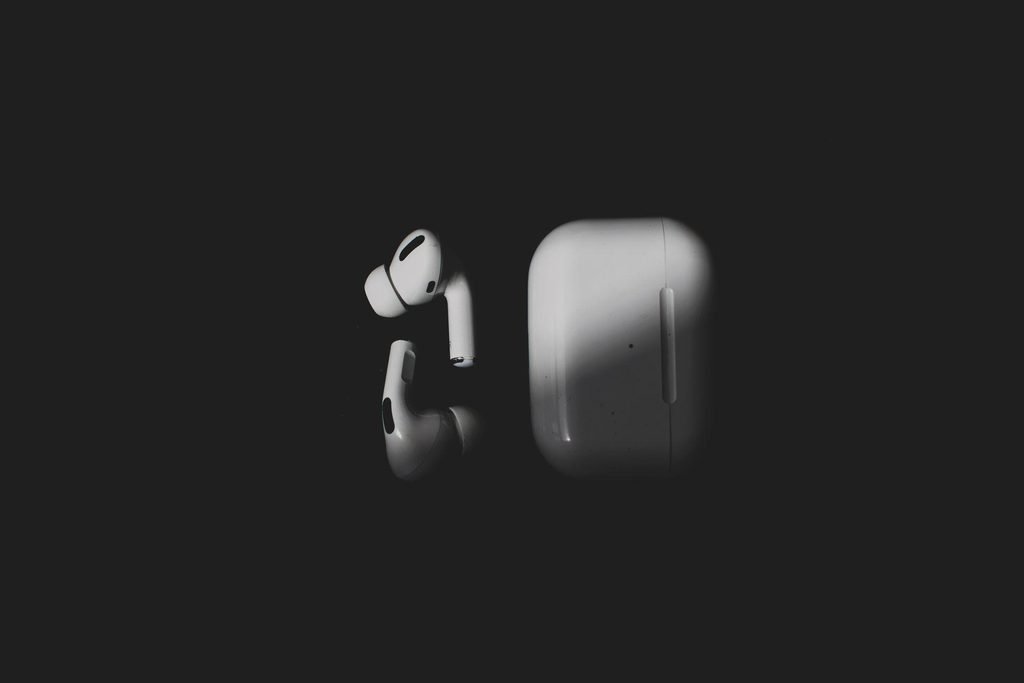
Safe vs Unsafe: What You Can and Cannot Use
Soft and dry is safe, sharp and wet is not.
| Method or tool | Safe? | Why |
| Soft, dry, lint-free cloth | Yes | Lifts dust and oil without scratching |
| Soft-bristled children’s toothbrush | Yes, on meshes | Apple’s own tool for Pro 2 and Pro 3 meshes |
| Micellar water with PEG-6 Caprylic/Capric Glycerides | Yes, on meshes | Apple’s method for Pro 2 and Pro 3 only |
| Isopropyl alcohol on the case cloth | Yes, lightly | Cleans the case exterior, never the port |
| Running water on the earbuds | No | Water gets into openings and damages drivers |
| Sharp objects on the mesh | No | A pin or needle can punch through the mesh |
| Soap or household cleaners on ear tips | No | Leaves a film that irritates skin and attracts dirt |
| Bleach, hydrogen peroxide, or window spray | No | Harsh chemicals damage plastic and seals |
| Compressed air or a hair dryer | No | Heat and pressure push debris deeper and warp parts |
One conflict is worth flagging. Many third-party guides tell you to wash the ear tips with mild dish soap. Some even recommend soap for the mesh. Apple says the opposite: rinse ear tips with water only, and keep cleaning solutions off the mesh except for the micellar water method on Pro 2 and Pro 3. When a blog and Apple disagree, follow Apple. The blog does not pay for your replacement earbuds.
How Often Should You Clean AirPods Pro?
Once you know how to clean AirPods Pro, the next question is how often to do it. Clean the ear tips once a week if you wear them daily, and wipe the earbuds and case too. If you work out in them, wipe them down after each workout.
Clean the meshes with the full micellar water method only when the sound changes. You do not need to deep clean the mesh every week. Over-cleaning wears it faster than dirt does.
When Cleaning Does Not Fix the Sound
Sometimes cleaning helps but the sound still feels off.
First, check the ear tip fit. Run the Ear Tip Fit Test in your iPhone Bluetooth settings. A poor seal makes the bass vanish and lets noise in. Try a different tip size if the test fails.
Next, check the balance and volume limit in your iPhone settings, and test the AirPods Pro with a different device to rule out a phone problem. If one earbud still sounds quiet, reset your AirPods Pro and pair them again. A reset fixes software glitches, not a torn mesh or a dead driver.
If the sound stays bad after cleaning, a fit test, and a reset, the mesh may be damaged or the earbud may have a hardware fault. Apple can replace a single lost or damaged AirPod. Do not open the earbud yourself. Opening it voids any warranty you have left.
Skin Irritation: What Apple Says
Your AirPods Pro sit in your ears for hours. Dirty earbuds can irritate your skin. Apple advises you to clean and dry them after workouts and after they touch sweat, soap, shampoo, makeup, sun cream, or lotions.
Frequently Asked Questions
How do I clean my AirPods Pro?
The short answer to how to clean AirPods Pro is this: take off the ear tips and rinse them with water only, then wipe them dry. Brush the meshes with a soft toothbrush and micellar water if you own Pro 2 or Pro 3, then let the earbuds dry for at least two hours.
Can I wash AirPods Pro ear tips?
Yes, you can rinse the silicone ear tips with water. Use water only and no soap or household cleaners. Pull the tips off first, rinse them, and let them dry completely before you click them back on.
How do I clean the AirPods Pro case?
Wipe the case with a soft, dry, lint-free cloth. If it is grubby, dampen the cloth lightly with isopropyl alcohol. Keep liquid out of the charging port. Use a dry cotton swab to clear lint from the charging wells and the hinge.
Can I use alcohol to clean my AirPods Pro?
You can use isopropyl alcohol on a cloth to wipe the charging case. Do not use it on the speaker mesh or the ear tips. For the meshes, Apple recommends micellar water instead.
Can I use water to clean my AirPods Pro?
You can rinse the ear tips with water. Do not run any AirPods Pro under a tap or submerge them. They resist sweat and splashes, with Pro 1 and Pro 2 rated IPX4 and Pro 3 rated IP57. They are not waterproof.
How often should I clean my AirPods Pro?
Once you learn how to clean AirPods Pro, keep it simple. Clean the ear tips and wipe the earbuds once a week if you wear them daily, and wipe them after every workout. Deep clean the meshes only when the sound changes.
Why do my AirPods Pro sound muffled after cleaning?
The most common cause is moisture. If you put the earbuds back in the case or in your ears before they dried fully, water can sit on the mesh and block sound. Let them dry for at least two hours, mesh side up, and test again. Check that each tip is dry and clicked on straight.
Can I clean AirPods Pro 1 the same way as Pro 2 and Pro 3?
No. Apple’s micellar water method is listed only for AirPods Pro 2 and Pro 3. For AirPods Pro 1, stick to dry cleaning: a soft, dry brush or a dry cotton swab on the mesh, and a dry, lint-free cloth on the body.
What should I do if my AirPods Pro still sound quiet after cleaning?
Run the Ear Tip Fit Test on your iPhone and try a different tip size, then test the AirPods Pro with another device. If one earbud stays quiet, reset your AirPods Pro and pair them again. If that does not help, contact Apple Support about a repair or a single AirPod replacement.
Conclusion
Learning how to clean AirPods Pro takes ten minutes and a few things you already own. Remove the ear tips and rinse them with water only. Brush the meshes gently if you own Pro 2 or Pro 3. Wipe the case, skip the sharp tools, and let everything dry for at least two hours.
Keep learning: Best AI Chatbot in 2026 and Character AI No Sign Up are two more guides on TechRivio worth a look.
