



Your iPhone used to last all day. Now it dies by dinner, and you cannot point to anything you changed. Fast iPhone battery drain is common, and the cause is rarely one thing. It is usually a mix of an aging battery, a bright screen, apps that work in the background, a weak signal or a recent update.
Short answer: open Settings, tap Battery, and look at the Daily Usage chart. That screen answers the question why is my iPhone battery draining so fast better than any guess. If Maximum Capacity is below 80 percent, the battery itself is worn. Above 80 percent, the drain is almost always an app, a setting or a recent update.
Find Out What Is Draining Your Battery First
Before you turn anything off, spend two minutes on the Battery screen.
1. Open Settings and tap Battery.
2. Look at the Daily Usage chart. It compares today with your last seven days.
3. Read the suggestions and Insights just above the chart. “Ongoing iOS Update” means background work is still running.
4. Scroll down to the battery usage by app list, App and System Activity Usage. It shows the three apps that used the most battery today.
Watch the labels: “Background Activity” means most of the app’s battery use happened in the background. “No Mobile Coverage and Low Signal” means your phone spent energy searching for a signal. “Notifications” means the app’s notifications woke your phone again and again.
A healthy pattern: the apps at the top are the ones you actually used. A problem pattern: one app you barely opened sits at the top.
Check Your iPhone Battery Health
Apple measures iPhone battery health as Maximum Capacity: the charge your battery can hold now compared with when it was new.
- iPhone 15 and later: Settings, Battery, Battery Health.
- iPhone 14 and earlier: Settings, Battery, Battery Health and Charging.
At 90 percent or higher, your battery is in good shape and the drain comes from software or settings. Between 80 and 89 percent, the battery is aging. At 80 percent or lower, Apple considers the battery consumed, and a replacement is the real fix. If you see the word “Service” next to Battery Health, consider a replacement.
Apple designs iPhone 15 and later batteries to keep 80 percent of their original capacity at 1,000 complete charge cycles, and iPhone 14 and earlier batteries to keep 80 percent at 500 complete cycles.
Why Is My iPhone Battery Draining So Fast? 8 Reasons
1. An Aging Battery
Every lithium-ion battery loses capacity as it ages, and heat speeds that aging up. A two or three year old iPhone can hold far less charge than it did on day one. If your Maximum Capacity is under 80 percent, this is your main cause.
2. Background App Refresh
Background App Refresh lets apps fetch new content while you are not using them, so your mail, news and social feeds are ready when you open them. That convenience costs power, because apps wake the processor and the radio again and again.
3. A Bright Screen
The display is the biggest power draw on any phone. A screen at full brightness in sunlight uses far more energy than the same screen at half brightness indoors. If your brightness sits above the level Apple recommends, the Battery screen shows a “High Brightness” suggestion.
4. Location Services
Location Services use GPS, Wi-Fi and cell towers to pin down where you are. Many apps ask for “Always” access when “While Using” would do, and an app that tracks your location all day is one of the heaviest hidden drains on an iPhone.
5. A Weak Signal or No Coverage
When your signal is weak, your iPhone turns up its radio power to hold the connection. In a basement, a rural area or a crowded stadium, the modem works hard all day and the battery pays for it. Wi-Fi uses less battery than cellular, so use Wi-Fi when you can, or turn on Airplane Mode where there is no signal.
6. A Rogue App
Sometimes one app misbehaves. A buggy update, a stuck upload or a sync loop can keep an app awake in the background, using the processor or location nonstop. You will spot it on the Battery screen: an app you barely used sits near the top with high background activity.
7. A Recent iOS Update
If your iPhone battery started draining fast right after an update, the update is probably still working. Tasks such as reindexing files and syncing data keep running in the background for a day or two. Apple says to wait a few days and then check again.
8. Heat
Heat is the biggest enemy of battery health. Apple says iPhones work best between 32 and 95 degrees Fahrenheit (0 to 35 degrees Celsius), with 62 to 72 degrees Fahrenheit (16 to 22 degrees Celsius) as the ideal zone. Above 95 degrees, heat can permanently reduce your battery’s capacity.
How to Stop Your iPhone Battery From Draining So Fast
Follow these steps to fix why is my iPhone battery draining so fast on your phone. Start with the ones the Battery screen pointed to.
1. Update iOS: Settings, General, Software Update.
2. Turn off Background App Refresh for apps that do not need it: Settings, General, Background App Refresh.
3. Lower your brightness and turn on Auto-Brightness: Settings, Accessibility, Display and Text Size.
4. Set Auto-Lock to 30 seconds: Settings, Display and Brightness, Auto-Lock.
5. Tighten Location Services: Settings, Privacy and Security, Location Services. Change apps to “Never” or “While Using the App.”
6. Turn on 5G Auto. On iPhone 12 and later: Settings, Cellular, Cellular Data Options, Voice and Data, 5G Auto.
7. Cut notification noise. Open Settings, tap Notifications, and turn off notifications you do not need.
8. Restart your iPhone. A restart clears stuck background processes.
9. Update the worst app or delete it. If one app tops the Battery screen with background activity you cannot explain, update it. If it continues, delete it and reinstall it.
Heavy AI apps can add to background use too. Our Best AI Chatbot in 2026 guide compares the main options, and Character AI No Sign Up explains how to try one without creating an account.
Low Power Mode and Adaptive Power
Low Power Mode is your fastest rescue when the battery is low. It cuts power use by reducing or turning off Mail fetch, Hey Siri, Background App Refresh and some visual effects. To turn it on, open Settings, tap Battery, then tap Power Mode, and turn on Low Power Mode. It turns itself off when you charge above 80 percent.
On newer iPhones, Apple added Adaptive Power. With iOS 26 or later, your iPhone can stretch battery life on heavy days. It can even turn on Low Power Mode by itself when your battery reaches 20 percent. Apple supports it on iPhone 15 Pro, iPhone 15 Pro Max, iPhone 16 models, iPhone 17 models, iPhone Air, iPhone 18 models and iPhone Duo.
Charge Smarter: Habits That Protect Your Battery
How you charge matters as much as how you use the phone. A few battery optimization habits slow the chemical aging that causes fast drain.
First, turn on Optimized Battery Charging: Settings, Battery, Battery Health (or Battery Health and Charging on older models). It learns your daily routine and waits to finish charging past 80 percent until you need the phone.
Second, keep the phone cool while it charges. Do not charge it in direct sun, on a hot dashboard or under a pillow or blanket. If your phone gets warm while charging, take it out of the case.
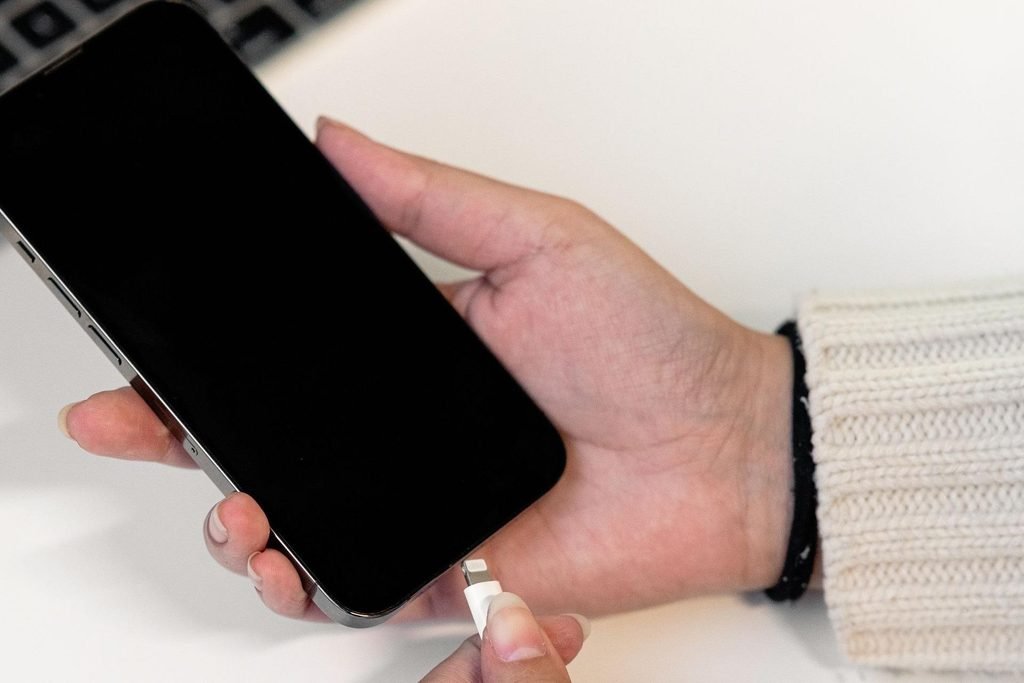
Third, use a good charger and cable. Cheap, uncertified chargers can deliver unstable power.
When to Replace Your iPhone Battery
No setting fixes a worn-out battery. Replace it when Maximum Capacity stays at 80 percent or lower, when Battery Health says “Service,” or when your phone shuts down without warning even though the battery shows charge left. A new battery restores the hours you lost.
Apple charges for battery service by iPhone model, so check Apple’s iPhone battery service page for the current fee before you book. Guides published in 2026 report $89 to $119 depending on the model, but prices change and the Apple page is the source to trust.
Book the replacement with Apple or an Apple Authorized Service Provider. If nothing here helps and you still ask why is my iPhone battery draining so fast, the battery itself is the answer.
Causes and Fixes at a Glance
| Cause | How you spot it | Fix |
| Aging battery | Maximum Capacity below 80 percent | Replace the battery |
| Background App Refresh | High background activity | Turn it off |
| Bright screen | “High Brightness” suggestion | Lower brightness, Auto-Brightness on |
| Location Services | Apps set to “Always” | Switch to “While Using” or “Never” |
| Weak signal | “No Mobile Coverage and Low Signal” | Use Wi-Fi or Airplane Mode |
| Rogue app | One app tops the list | Update, reinstall or delete it |
| Recent iOS update | “Ongoing iOS Update” Insight | Wait two to three days |
| Heat | Phone feels warm | Keep it cool, remove the case |
Frequently Asked Questions
Why is my iPhone battery draining so fast?
The short answer to why is my iPhone battery draining so fast is a mix of causes: an aging battery, a bright screen, apps refreshing in the background, location tracking, a weak signal or a recent iOS update. Open Settings, tap Battery, and check Maximum Capacity.
How do I stop my iPhone battery from draining so fast?
Open Settings, tap Battery. Then turn off Background App Refresh for apps you do not need, lower your brightness, set Auto-Lock to 30 seconds, limit Location Services to “While Using,” and turn on Low Power Mode. If Maximum Capacity is below 80 percent, replace the battery.
What is killing my iPhone battery?
The screen is usually the biggest battery user, followed by background apps and a weak signal. Check Settings, Battery, App and System Activity Usage. If one app you barely used sits at the top with high background activity, that app is killing your battery.
Why is my iPhone battery draining so fast all of a sudden?
Sudden drain usually means something changed: a new iOS version, one app that just updated and misbehaves, a new location with a weak signal, or a hot day. After a major update, wait two to three days for indexing and syncing to finish.
Is 80% battery health bad for an iPhone?
At 80 percent Maximum Capacity, your battery has lost about one fifth of its original charge, and Apple considers it consumed. You will charge more often and the phone may shut down under heavy load. Below 80 percent, a replacement is the practical fix.
Why does my iPhone battery drain overnight?
A few percent overnight is normal, because the phone stays connected and backs up data. Losing 20 percent or more overnight is not normal. It usually means an app is working in the background, the signal is weak, or the battery is worn.
Does closing apps save battery?
No. Apple has said that force-quitting apps does not extend battery life, and it can use more power when you reopen an app. Leave your apps alone and fix the real drains instead: Background App Refresh, Location Services and brightness. Force-quit only an app that is clearly misbehaving.
Why does my iPhone stop charging at 80%?
Your iPhone stops charging at 80 percent for one of two reasons. Optimized Battery Charging waits to finish charging until you need the phone. Or the phone is too warm, and iOS pauses charging to protect the battery until it cools down. Both are normal.
How long should an iPhone battery last?
A new iPhone battery should last a full day. Apple designs iPhone 15 and later batteries to keep 80 percent of their original capacity at 1,000 complete charge cycles, and iPhone 14 and earlier batteries to keep 80 percent at 500 complete cycles. Most iPhone batteries stay healthy for two to three years.
