
Quick Answer: The Top Pick for 2026
Runway is the best ai animation tool for most people in 2026. It covers text-to-video, image-to-video and editing in one place. Kling AI comes close for cinematic clips. Pika wins for fast social clips.
Prices change often. Check the official pricing page before you buy.
What Is an AI Animation Tool?
An AI animation tool turns a short text prompt, a still image or a video clip into moving animation. You describe the scene you want and the model builds the motion and the camera movement for you. The best ai animation tool for your project matches your style and your output.
These tools differ from classic animation software. Traditional animation asks you to draw frames and rig characters by hand. AI tools skip much of that manual work. You guide the result with prompts while the model does the heavy lifting between frames.
How AI Animation Works
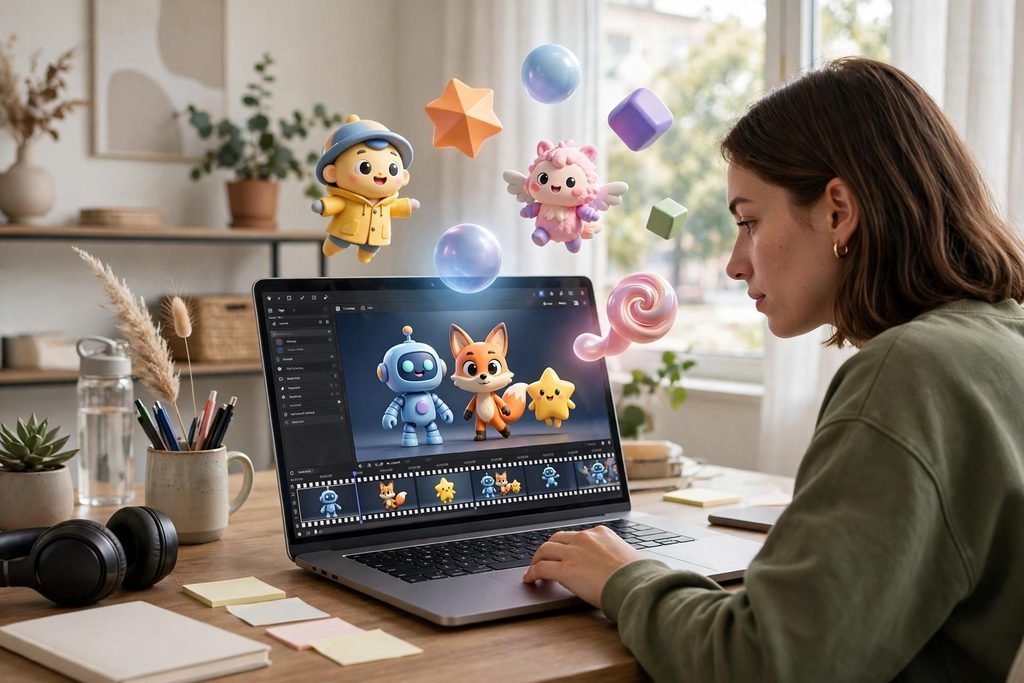
AI animation models learn from large sets of video and motion data. They study how objects move and how a camera frames a scene. When you type a prompt, the model predicts the next frames and builds a smooth sequence.
Text-to-Video Generation
Text-to-video starts with words alone. You write a prompt such as a surfer riding a wave at sunset and the model creates the scene from scratch. Good prompts name the subject, the action and the camera.
Image-to-Video and Motion Control
Image-to-video starts with a still image you upload or generate. The model adds motion while it keeps the subject and the style intact. Motion brushes let you paint the parts that should move.
Character Rigging and Motion Capture
Character tools add a skeleton to a 3D model and move it with physics or with motion from a video. Cascadeur uses physics-based posing to make jumps and falls look natural.
AI Animation Tools Compared
Use this table to narrow your shortlist. It shows each tool at a glance, with its starting price and free plan. The best ai animation tool on paper may not suit your workflow.

| Tool | Best For | Starting Price | Free Plan | Ease of Use |
| Runway | All-round video creation | From $12 per month | Yes, limited credits | Moderate |
| Kling AI | Cinematic realistic clips | From $10 per month | Yes, daily credits | Moderate |
| Pika | Fast social clips | From $8 per month | Yes, limited credits | Easy |
| Kaiber | Music videos and art | From $5 per month | Yes, limited credits | Easy |
| Adobe Firefly | Creative Cloud users | From $9.99 per month | Yes, limited credits | Easy |
| Cascadeur | 3D character animation | Free, Pro from $25 per month | Yes, non-commercial | Advanced |
| DeepMotion | Motion capture from video | Free tier, from $15 per month | Yes | Moderate |
| Vyond | Corporate explainer videos | From $49 per month | Free trial | Easy |
| Animaker | 2D explainer and social | Free tier, from $19 per month | Yes | Easy |
| Luma Dream Machine | Realistic scenes and 3D | Free tier, paid plans vary | Yes | Easy |
Luma Dream Machine, Hailuo, HeyGen and Domo AI also deserve a look. Luma suits realistic scenes. HeyGen leads for AI avatars. Domo AI, from $9 per month, turns still images into anime-style clips.
Best Tools for 2026
These seven tools earned their place through output quality, useful controls and fair pricing. The best ai animation tool for a music video differs from the pick for a corporate explainer.
1. Runway – Best Overall
Runway leads the field for all-round AI video. Its Gen-4 and Gen-4.5 models turn text and images into sharp clips with strong motion. Its limit is credit use: a four-second clip can cost around 20 credits. Standard starts at $12 per month billed annually, while Pro starts at $28 per month.
2. Kling AI – Best Cinematic
Kling AI produces some of the most cinematic clips in this guide. Its motion feels smooth and its physics look natural. Clips can run far longer than most rivals, up to two minutes in some modes. Its limit is speed: complex clips can take a while to render. Standard starts at $10 per month, with daily free credits.
3. Pika – Best for Fast Social Clips
Pika turns ideas into short clips fast, which makes it a natural fit for social media. Its effects library adds fun twists to a photo, from a cake exploding into slices to an object melting away. Pika suits social creators who post daily. Its limit is depth, since it focuses on short punchy scenes. Standard starts at $8 per month billed annually.
4. Kaiber – Best for Music Videos
Kaiber turns music into visual art. Its Beat Sync matches motion to the rhythm of a track so cuts and pulses land on the beat. Kaiber suits musicians and artists who want a distinct visual style. Its limit is realism: Kaiber favours art over lifelike video. Explorer or Starter plans start at $5 to $8 per month billed annually.
5. Adobe Firefly – Best for Creative Cloud Users
Adobe Firefly brings AI video into the Adobe family. It generates clips from text and images with a focus on safe commercial use, since Adobe trains its models on licensed content. Its limit is raw video power: Firefly trails Runway and Kling on complex motion. Plans start from $9.99 per month.
6. Cascadeur – Best for 3D Character Animation
Cascadeur is a specialist tool for 3D character motion. Its AutoPosing feature uses physics to pose characters in natural ways so a jump or a fall looks grounded rather than floaty. Its limit is the learning curve. The free version covers non-commercial work, while Pro starts at $25 per month.
7. Vyond – Best for Explainer Videos
Vyond builds animated explainer videos for business and training. You can pick a character, add a script and let the AI voiceover and lip-sync bring the scene to life. Its limit is price and style: plans start from $49 per month and the look stays corporate. A free trial lets you test the editor.
How to Choose the Right Tool
Start with the video you need to make, then work backward to the tool. A music video needs Kaiber, a corporate explainer needs Vyond and a cinematic short needs Kling. The best ai animation tool for one project may fail the next.
Match the Tool to Your Output
Look at the finished videos each tool produces and ask whether that style fits your audience. A tool that makes dreamy art will not suit a product demo that needs clean realism.
Check Pricing and Credits
Most AI video tools charge by credits, not by minutes. A short clip may cost 10 credits on one tool and 40 on another so compare credit costs rather than headline prices alone.
Test the Free Plan First
A free plan tells you more than any review can. Generate five clips in your own style and check the motion and the export quality.
Free vs Paid AI Animation Tools
Free plans work well for learning and for occasional clips. Paid plans suit creators who publish often and need clean exports without watermarks.
What Free Plans Give You
Most free plans give you a small credit allowance each day or each month, plus access to core generation tools. The trade-off is a watermark on exports and lower resolution.
When a Paid Plan Is Worth It
Pay when you publish often, need clean exports or want higher resolution and faster renders. A paid plan also unlocks longer clips and priority rendering. Work out the cost per finished clip and compare it with the time you save.
Best Pick for Beginners
Pika and Kaiber are the friendliest starting points. Both use simple prompts, clear controls and fast results. The best ai animation tool for a beginner is the one that gets you publishing fast.
Best Pick for Social Media
Pika leads for social media thanks to its speed and its effects library. You can turn a photo into a trending clip in minutes and post it the same day. Kling also works well for polished Reels and TikTok clips. The best ai animation tool for social media is the one that keeps up with your posting pace.
Best Pick for Business and Corporate Videos
Vyond leads for business videos because it was built for explainers, training and internal comms. Its templates, characters and AI voiceover turn a script into a clear video without a film crew. The best ai animation tool for business use is the one your team can learn fast.
Best Pick for 3D Character Animation
Cascadeur leads for 3D character work thanks to its physics-based posing and rigging tools. DeepMotion adds motion capture from video so you can record a movement and apply it to a character. Blender with AI plugins offers a free route for skilled 3D artists.
Mistakes to Avoid With AI Animation Tools
Many beginners write vague prompts and blame the tool when the result looks random. Add detail about the subject, the action and the camera to guide the model. Another common mistake is to skip the free trial and pay for a year upfront. Test first, then commit. AI clips run short, often four to sixteen seconds so plan your video as a set of short shots.
Keep your expectations honest. AI cannot fully automate story, pacing or emotion yet. You still need to plan scenes and shape the story yourself.
FAQs
What is the best AI animation tool for beginners?
Pika is a strong first pick for beginners because it is fast, simple and cheap. Kaiber also suits new creators.
Is there a free AI animation tool?
Yes, most leading tools offer a free plan or a free trial. Runway, Kling, Pika, Kaiber and Adobe Firefly all give you limited free credits.
Can AI animation tools make full movies?
Not yet. Most tools make clips of four to sixteen seconds, though Kling can reach up to two minutes in some modes. You can stitch short clips together.
How much does an AI animation tool cost?
Prices start from around $5 to $12 per month for basic plans, while business tools such as Vyond start from $49 per month. Most tools charge by credits.
Which AI animation tool is best for YouTube?
Runway suits YouTube creators who need varied video styles and editing tools in one place. Kling suits cinematic channels, while Pika suits fast Shorts.
Do AI animation tools add a watermark?
Free plans often add a watermark to exports. Paid plans usually remove it. Check the plan page before you export a clip for client work.
Can I use AI animation for commercial projects?
Yes, on most paid plans. Free plans may limit commercial use so read the licence terms for your tool.
What is the easiest AI animation tool to learn?
Pika and Kaiber are among the easiest to learn thanks to simple prompts and clear controls. Animaker also suits beginners who prefer drag-and-drop 2D scenes.
Conclusion
Runway is the strongest all-round pick for most creators in 2026, with Kling close behind for cinematic work. Pika wins for fast social clips, Kaiber wins for music videos and Vyond wins for corporate explainers. The best ai animation tool is the one that fits the videos you make most often. If you enjoy exploring AI tools, TechRivio also covers PolyBuzz AI, a popular AI chat tool with its own guide on this site.
Pricing disclaimer: prices and credit limits in this guide were checked against 2026 sources and change often. Always check the official pricing page before you buy.